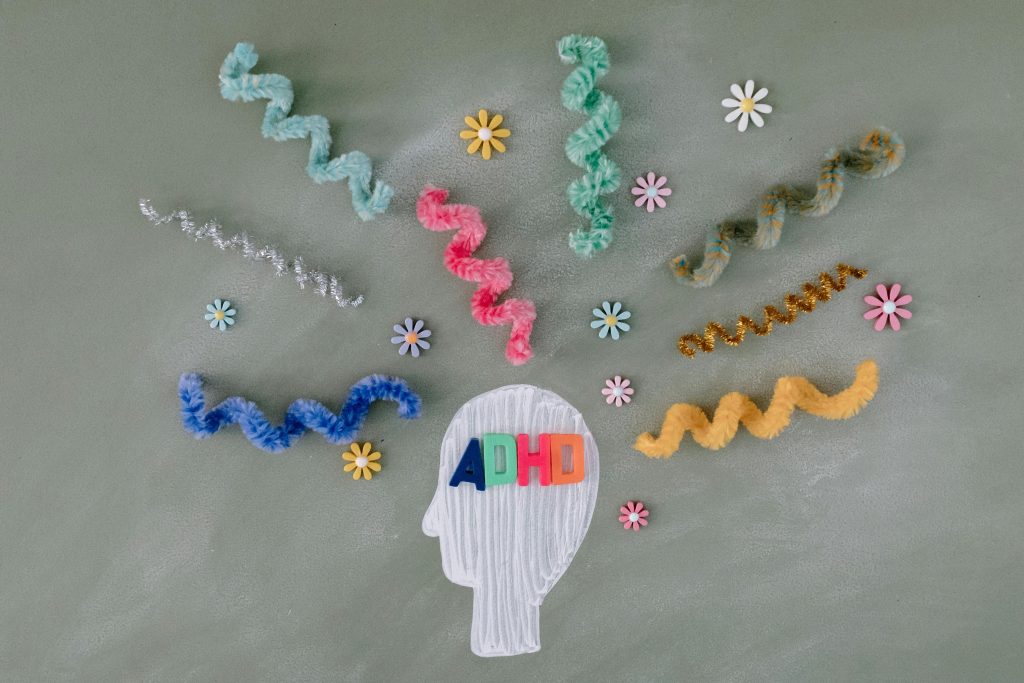
Ever found yourself staring at your to-do list for hours, only to complete… nothing? If you have ADHD, this might feel like Groundhog Day. The good news? You’re not alone, and technology has your back. A focus ADHD app can be the game-changer you’ve been searching for.
In this post, we’ll explore why these apps are a lifeline for ADHD brains, break down how to choose one that works for YOU, and drop some tips to level up your productivity. Plus, we’ll dive into real-world examples of apps that actually work—and rant about the ones that don’t. Let’s get into it!
Table of Contents
- Why ADHD Apps Matter for Focus
- Choosing the Right Focus ADHD App
- Top Tips for Using ADHD Apps Effectively
- Case Studies: Real Success with ADHD Tools
- FAQ About Focus ADHD Apps
Key Takeaways
- A focus ADHD app helps organize tasks, manage time, and reduce overwhelm.
- Picking the right app depends on your specific needs—like gamification or reminders.
- Pairing an app with consistent routines amplifies its effectiveness.
- Not all apps are created equal; avoid feature overload and clunky designs.
- Real users report life-changing results from apps like Focus@Will and Forest.
Why ADHD Apps Matter for Focus
I once tried organizing my day using pen and paper. Spoiler alert: It lasted less than 24 hours. My planner looked like a Picasso painting gone rogue—scribbles, doodles, crossed-out items, and coffee stains everywhere. Sounds familiar? For ADHD minds, traditional methods often crumble under the weight of chaos.
Here’s why focus ADHD apps are different:
- Gamified Goals: Turning productivity into a game makes staying on track fun (and addictive).
- Customizable Reminders: Because who wants another generic notification nagging them?
- Data-Driven Insights: Track progress and adjust strategies based on facts, not feelings.

Choosing the Right Focus ADHD App
Optimist You: “I just need to download an app, right?”
Grumpy You: “Sure, unless you want five half-used apps clogging your phone.”
Picking a focus ADHD app is serious business. Here’s how to do it without falling victim to digital hoarding:
Step 1: Identify Your Pain Points
Ask yourself:
- Do I struggle more with starting tasks or finishing them?
- Is distraction my biggest enemy, or am I overwhelmed by too much information?
- Do I thrive on visual cues, auditory prompts, or both?
Answering these will narrow down which features matter most.
Step 2: Test Before Committing
No app is perfect for everyone. Some people swear by Trello’s project boards, while others prefer the simplicity of Notion. Spend a week testing free trials or freemium versions before committing fully.
Step 3: Avoid Feature Overload
This is brutal honesty time: Apps packed with bells and whistles can overwhelm ADHD brains faster than no app at all. Look for apps with clean interfaces and intuitive navigation.

Top Tips for Using ADHD Apps Effectively
Now that you know how to pick the right focus ADHD app, let’s talk strategy. These tips will turn you into a productivity ninja:
- Set Micro-Tasks: Break big projects into tiny steps. Instead of “Write blog post,” try “Draft intro paragraph.”
- Use Pomodoro Timers: Work in focused bursts (e.g., 25 minutes) followed by short breaks. Many ADHD apps include this feature.
- Reward Yourself: Celebrate small wins with treats—or weird dances. Whatever floats your boat.
- Limit Notifications: Only allow alerts that truly matter. Too many dings = instant distraction mode.
Terrible Tip Alert: Don’t fall for multi-tasking hacks claiming to “cure” ADHD. Multitasking usually makes things worse. Focus on ONE thing at a time.
Case Studies: Real Success with ADHD Tools
Case Study #1: Sarah Finds Peace with Forest
Sarah, a graphic designer, downloaded the Forest app after years of struggling to stay off social media during work hours. By growing virtual trees every time she stayed focused, she reduced her screen distractions by 60% within two weeks. “It’s oddly satisfying watching my forest grow,” she says.
Case Study #2: Jake Levels Up with Todoist
Jake, a college student, was drowning in assignments until he started using Todoist. Its color-coded labels and priority levels helped him tackle urgent tasks first. Within a month, his grades improved, and he even had time left over for hobbies.
FAQ About Focus ADHD Apps
Are focus ADHD apps worth the investment?
Absolutely—if they align with your needs. Many offer free tiers, so there’s no harm in trying them out.
Which is better: Gamified apps or minimalist ones?
Depends on your personality. Gamified apps keep motivation high, while minimalist ones reduce cognitive load.
Can kids use focus ADHD apps too?
Definitely! Most apps cater to all ages, but parental controls might be necessary for younger users.
Conclusion
Finding the right focus ADHD app isn’t just about tech—it’s about reclaiming control over your brain space. Whether you’re battling distractions, managing overwhelming schedules, or simply craving peace of mind, these tools are here to help.
Ready to dive in? Start experimenting today, and watch your productivity soar. And hey, if you fail at first, remember: Every pro was once a beginner.
Like feeding Tamagotchis in the ’90s, keeping your ADHD app habit alive takes daily care—but trust me, it’s worth it.